Resources

Monitoring AI Agents in the Cloud: What Security Teams Need to Watch For
As AI agents proliferate across cloud environments, their broad access to internal systems and external services makes them a high-value target. Without a workload-specific network baseline, security teams have no way to distinguish normal behavior from early compromise.
Watch a Demo
Discover how our AI-driven, agentless security engine delivers unmatched visibility, detects behavior anomalies, and disarms threats before they escalate. In just 30 minutes, see how CloudFence helps you take full control of your cloud security.

Click ‘Play’ To See A Demo

AI Agents Are Not Like Traditional Cloud Applications
AI agents or LLM-powered workloads are not like traditional cloud applications.
A conventional application may query a database, call an API, or communicate with an external service, but its behavior is usually governed by predictable application logic.
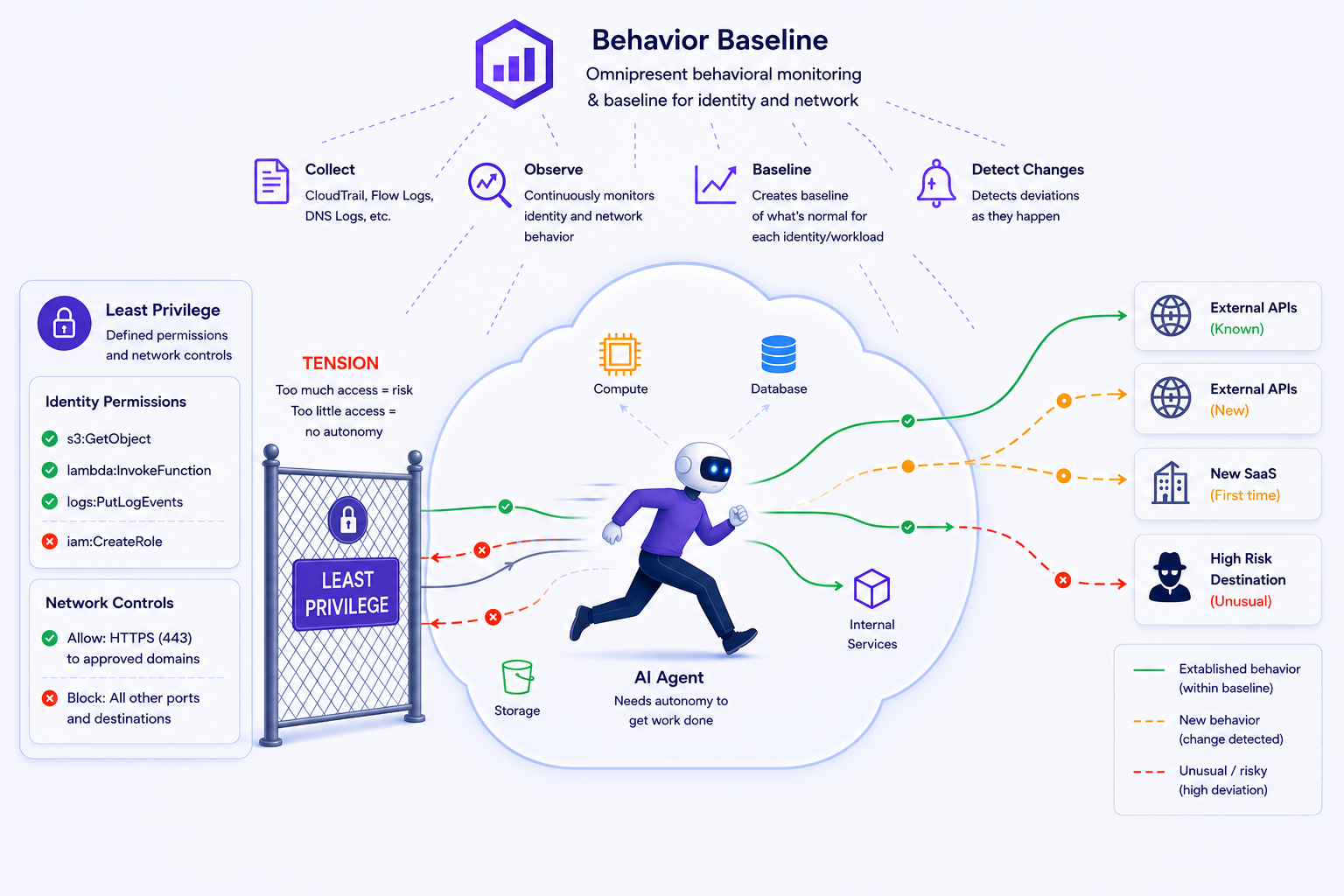
AI agents are different. They may invoke models, retrieve data, execute tools, trigger workflows, access documents, and communicate with internal and external services based on prompts, changing execution context, retrieved content, and tool outputs and all of that access : every database query, every external call, every SaaS integration — converges on the network. This is what makes AI agent communications a network visibility problem.
Why AI Agents Create a New Network Visibility Challenge
AI agents are designed to reach across your environment. That is what makes them useful.
A production AI agent may legitimately need access to:
- Internal databases containing business or customer data
- Application APIs that expose workflows or sensitive operations
- Model providers and model gateways
- Object storage containing documents, prompts, logs, or outputs
- External SaaS platforms and webhook endpoints
- Tool endpoints that allow it to take actions on behalf of users
From a security perspective, this creates a serious problem. If an AI agent is compromised, or misconfigured, everything it can reach becomes part of the potential impact.
A single agent with broad access can interact with sensitive systems, move data across boundaries, and communicate with external destinations in ways that may not be obvious from configuration alone.
The clearest evidence is often in the traffic.
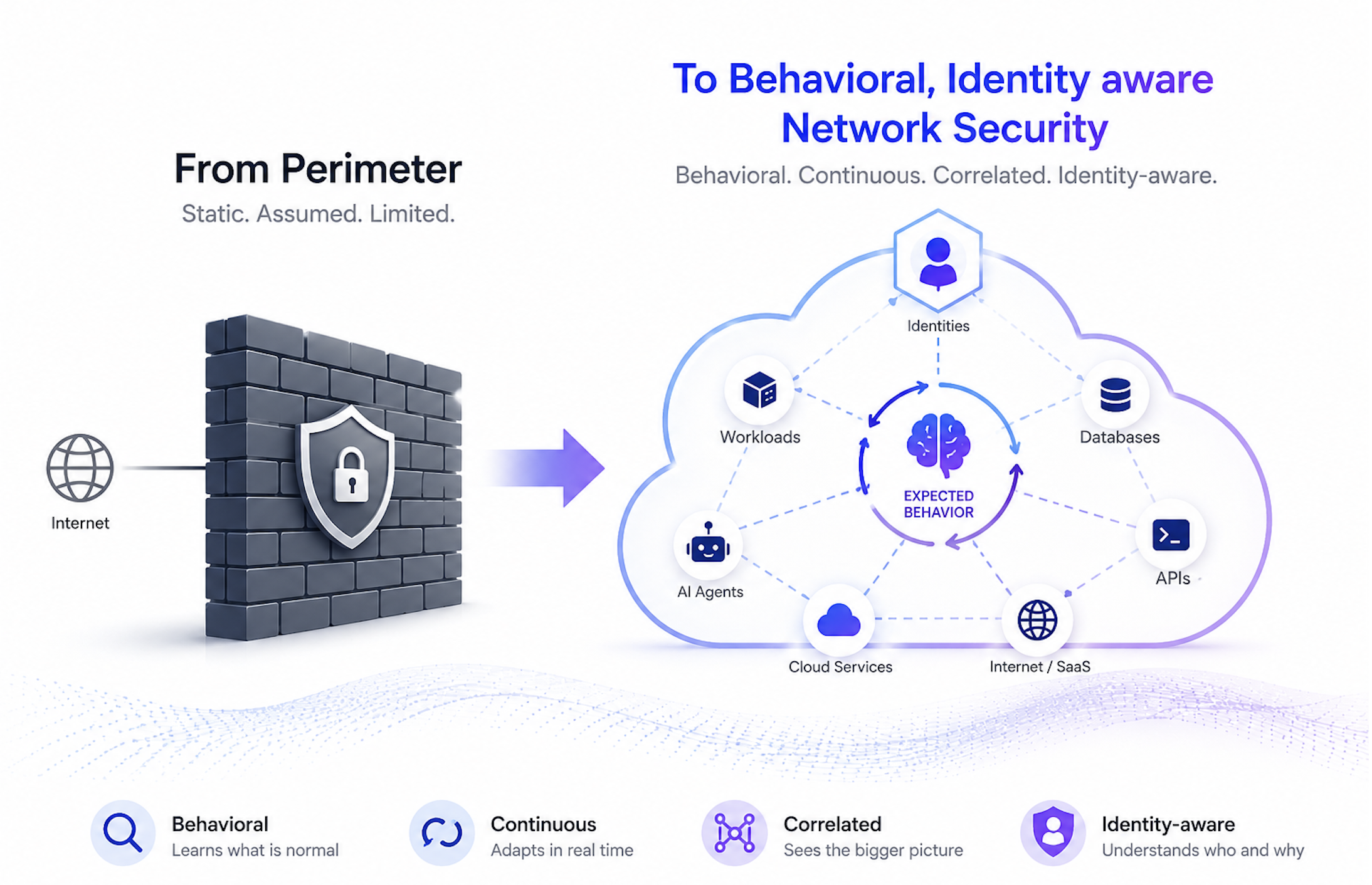
Configuration files, IAM policies, and architecture diagrams can show what should happen. Observed network communications show what is actually happening.
What Security Teams Should Monitor
AI security discussions often focus on prompt injection, insecure outputs, and excessive agency. Those risks matter. But security teams also need visibility into what happens at the network level, because that is where the impact of a compromised or misbehaving agent often becomes visible.
What the agent is talking to that it wasn't talking to before
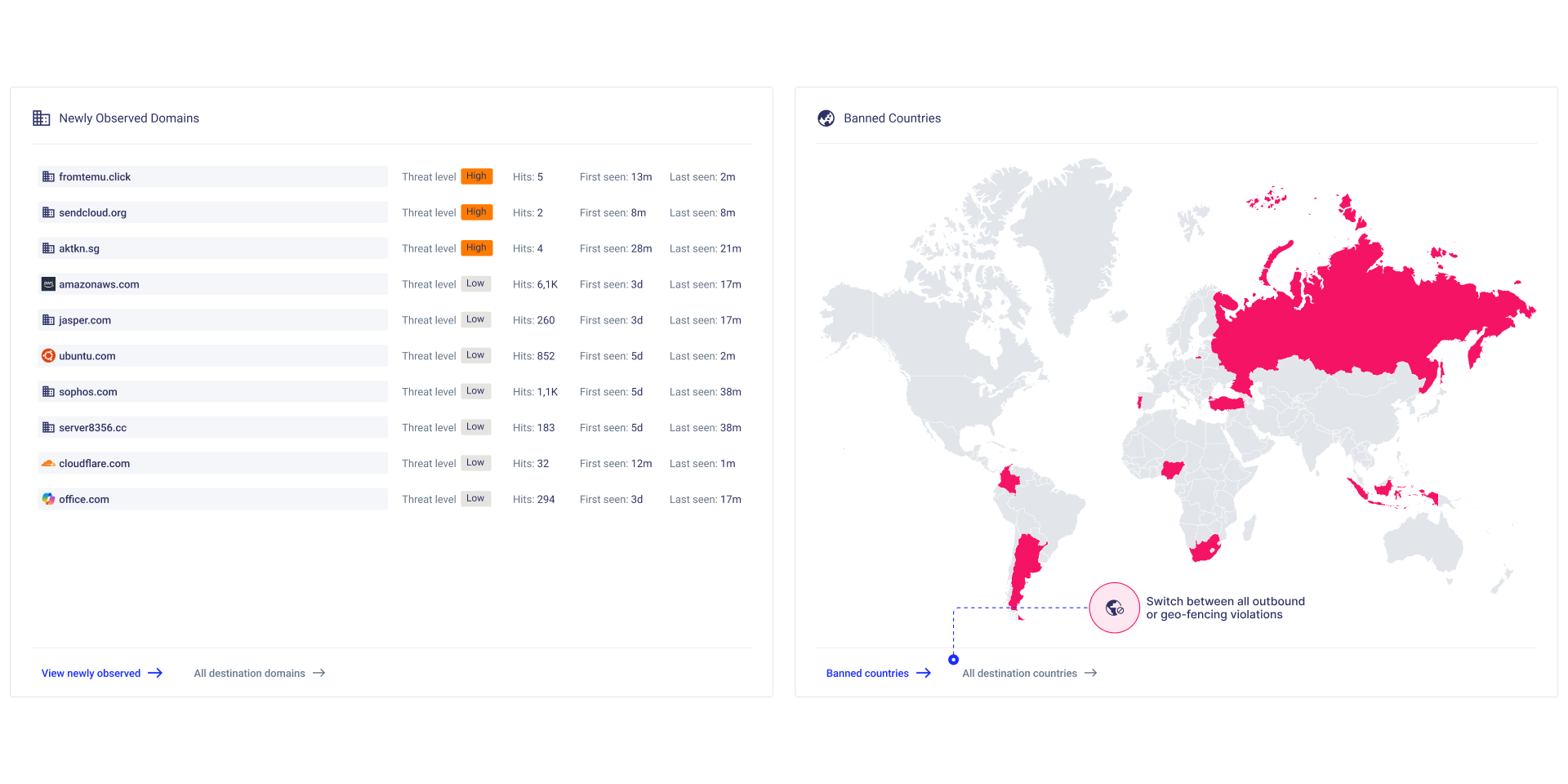
New outbound destinations are one of the clearest signs that something has changed.
An agent may begin communicating with a new SaaS endpoint, package registry, model provider, API, or unfamiliar domain. That change may be legitimate. It may also indicate workflow drift, unauthorized integration, malware activity, or data exfiltration.
Baseline the egress on day one and alert on anything that deviates from it.
What the agent can reach internally
The question is not only what leaves the environment. It is also what the agent can reach inside it.
An agent that can access production databases, internal APIs, sensitive data stores, and downstream services may create a significant data flow risk if it also communicates with many external destinations.
If an agent with broad internal access is also talking to many external domains, you have a data flow problem that no IAM policy review will surface.
Unexpected internal connections
AI agents are designed to reach across your environment : querying databases, calling internal APIs, accessing data stores, and triggering workflows. Some of that internal communication is expected and documented.
But new internal connections should not be ignored. An agent that suddenly starts communicating with a system it has never reached before, a database, an internal service, a workload in a different environment, may indicate a new undocumented integration, or early lateral movement.
The important question is not simply "is this connection allowed?" It is "has this connection been seen before, and does it make sense for this workload?"
Whether every outbound connection has been accounted for
In security, low-signal doesn't mean low-risk.
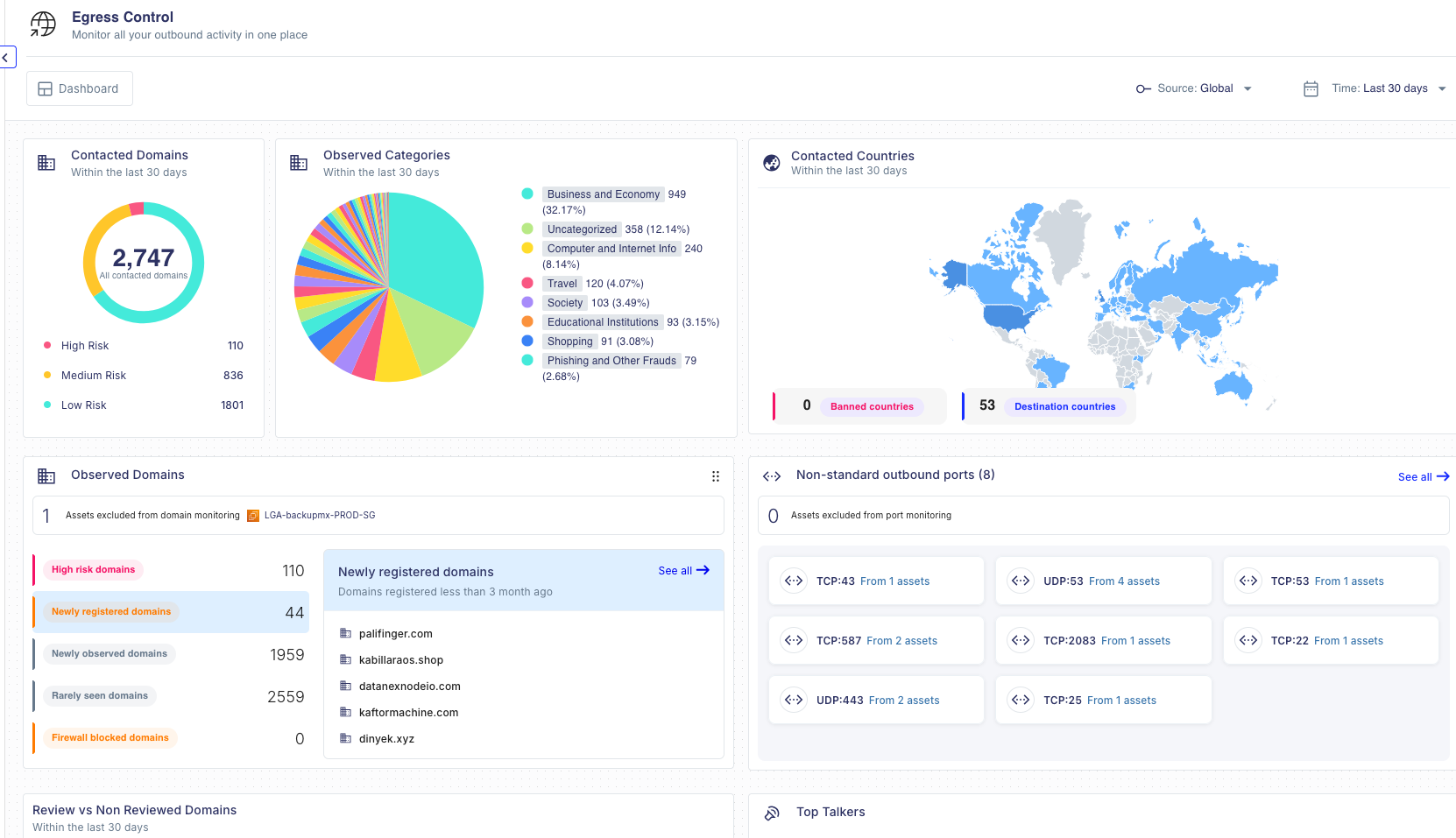
Repeated calls to an unfamiliar destination, outbound traffic over a non-standard port, or a new domain appearing in egress are the kinds of behaviors that blend into the background - especially in AI agent workloads where external communication is expected and frequent.
Examine every unexplained connection before accepting it into the baseline. Ask what it is, who owns it, and why it exists. If there is no clear answer, it should not be normalized
The agent's ability to persist or escalate its own access
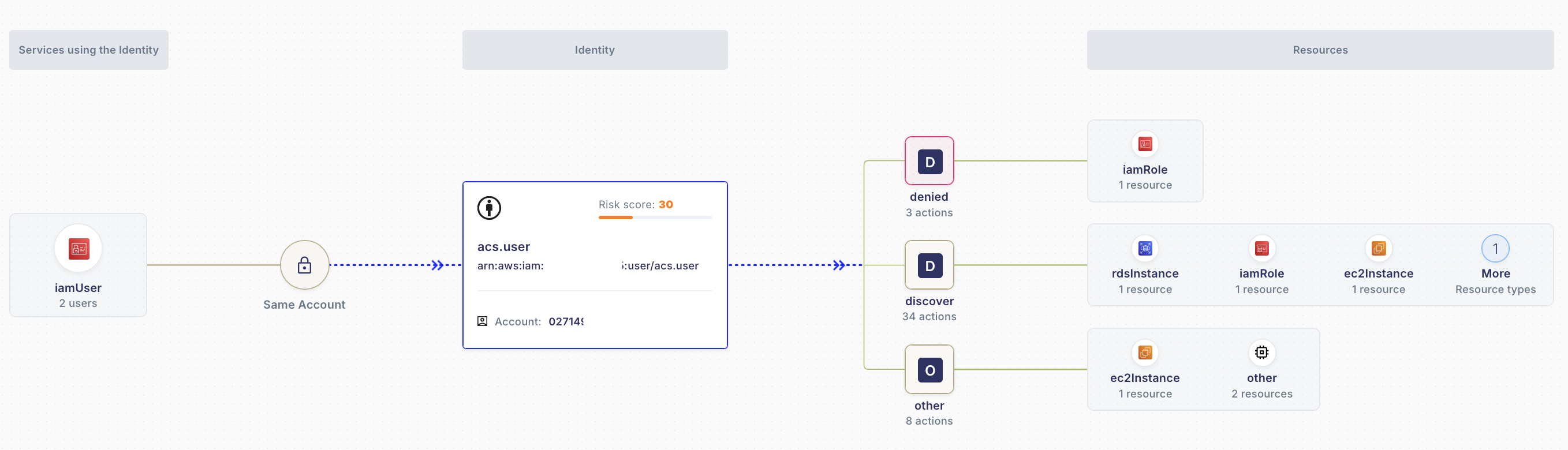
IAM roles and credential behavior define what the agent is authorized to access, what actions it can take, and what it can reach across your environment. Security teams should verify whether the agent's identity is strictly scoped — and whether it has any mechanism to persist or escalate its own access. A role that can assume itself can silently refresh its own credentials with no external principal required.
That's a built-in path to persistent access that deserves explicit review and justification.
Default outbound communication
Before a team writes a single agent workflow, the workload may already be communicating with telemetry pipelines, analytics platforms, third-party APIs, cloud services, or vendor-controlled endpoints.
Security teams should understand what the agent sends out by default before treating that traffic as normal. Otherwise, unnecessary or risky communication can become part of the accepted operating pattern.
Why Per-Workload Baselines Matters
A useful workload baseline should capture:
- Normal inbound and outbound destinations
- Expected ports and protocols
- East-west communication paths
- Contacted Domains
- Traffic volumes and connection frequency
- Identity and access behavior
Once this baseline exists, deviations become easier to prioritize.
A new external connection from a low-risk test workload may be informational. A new outbound destination from a production LLM service with access to sensitive data may require immediate investigation.
Context is what turns raw traffic into actionable security intelligence.
From Visibility to Control
Visibility is only useful if it leads to better decisions. Once you understand how your AI agents actually behave on the network, you can take concrete action:
- Enforce egress policies based on observed behavior - not assumed behavior. What the agent actually calls should define what it is allowed to call.
- Tighten security group rules and IAM permissions around confirmed and observed access, and remove access that has never been used.
- Detect deviations early — a new destination, a new port, a new internal connection. Any change from the established baseline is a signal worth investigating.
- Establish ownership for every external connection — each destination the agent communicates with should have a named owner, a documented purpose, and a review cadence.
How CloudFence Helps Security Teams Monitor AI Agents
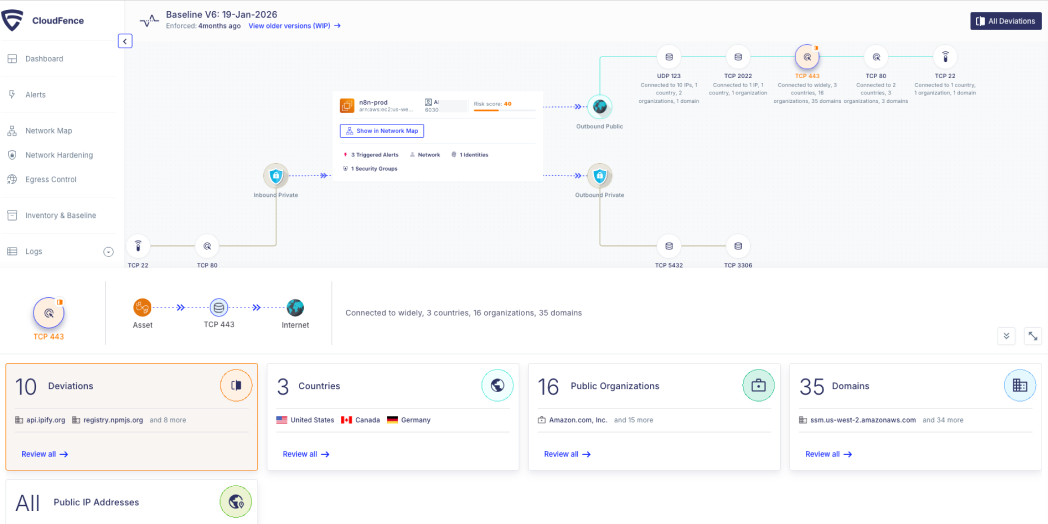
CloudFence is agentless - it works directly from native cloud logs, giving security teams runtime visibility into how their workloads actually communicate without any changes to the existing architecture.
For AI agent workloads specifically, CloudFence:
- Builds behavioral baselines for every cloud workload - establishing what normal communication looks like from day one
- Detects deviations in real time : new external destinations, unexpected internal connections, unusual ports, and abnormal identity operations
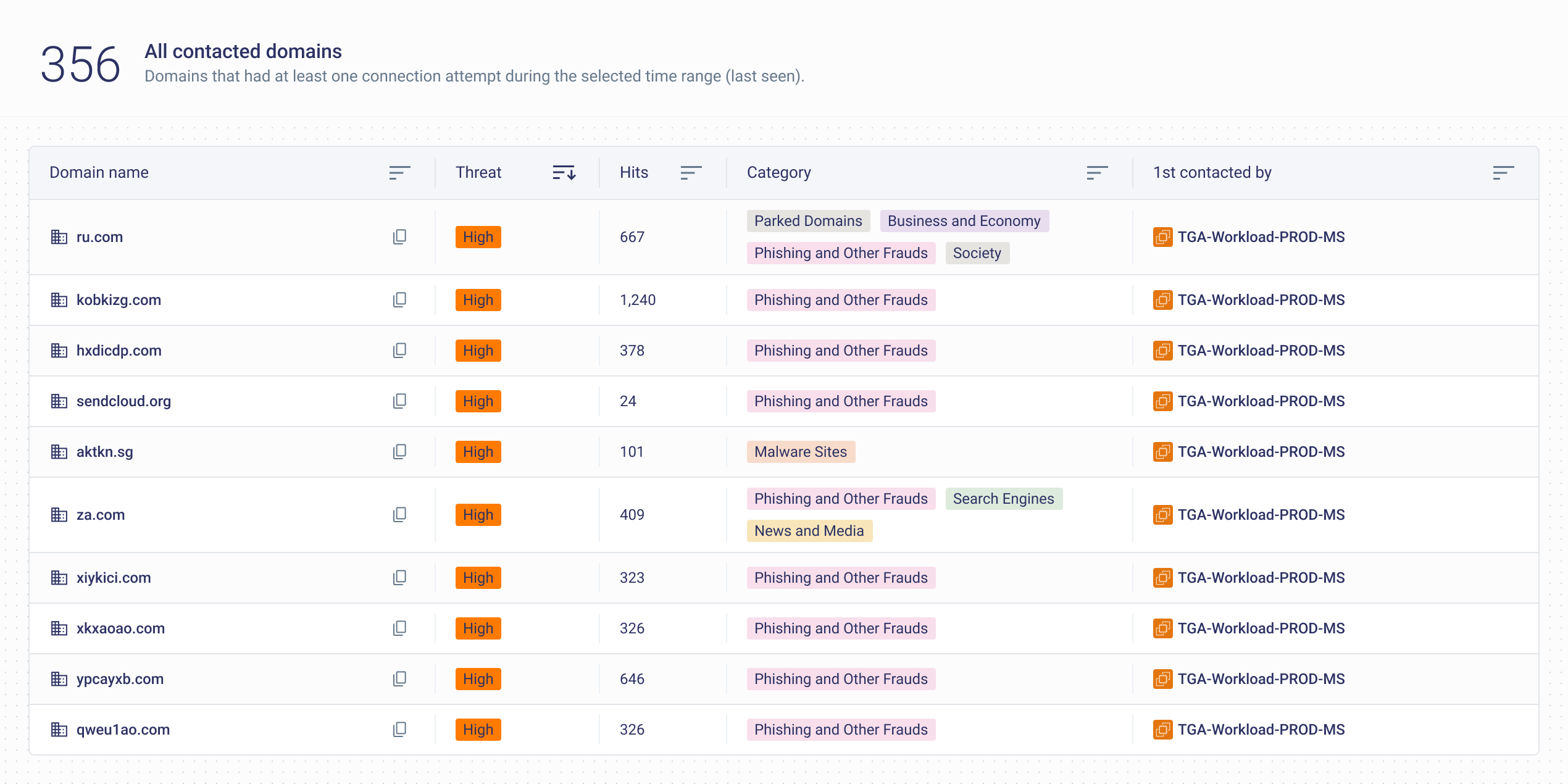
- Classifies outbound traffic by domain reputation and category - flagging newly observed, rarely contacted, or high-risk destinations
- Monitors identity behavior - detecting credential anomalies such as roles assuming themselves or unexpected permission usage.
- Supports least privilege enforcement - by comparing observed runtime behavior against assigned IAM permissions and security group rules, CloudFence helps teams identify and remove access that has never been used — for both identities and network paths
- Provides the runtime evidence security teams need to enforce egress policies, tighten security group rules, and investigate abnormal behavior with confidence
No agents. No traffic mirroring. Just visibility into what your AI agents are actually doing , and alerts when that changes.
Conclusion
AI agents are here to stay. Their broad access and dynamic behavior make them valuable but high-risk if compromised. The network doesn't lie. Security teams that baseline agent behavior from day one will always have the advantage..
CloudFence gives security teams the runtime visibility they need to baseline AI agent behavior and detect deviations before they become incidents. See how it works
Watch a Demo
Discover how CloudFence's AI-driven engine establishes behavioral baselines, delivers real-time visibility, and detects threats before they escalate—helping your team shift from reactive firefighting to strategic cloud security management.
Stop Being in the Dark!
Watch a Demo
Discover how CloudFence's AI-driven engine establishes behavioral baselines, delivers real-time visibility, and detects threats before they escalate—helping your team shift from reactive firefighting to strategic cloud security management.

Related Posts
Keep Exploring Cloud Security Insights
Looking to dive deeper? Check out these handpicked articles related to cloud visibility, threat detection, and workload protection.