Use cases
Resources
C2 traffic in AWS often hides inside ordinary outbound connections, making static rules and known-bad IP/domain lists insufficient. Behavioral baselines built from VPC Flow Logs and DNS logs are key to spotting suspicious patterns early.

Discover how our AI-driven, agentless security engine delivers unmatched visibility, detects behavior anomalies, and disarms threats before they escalate. In just 30 minutes, see how CloudFence helps you take full control of your cloud security.


Command-and-control traffic is one of the clearest signs that a workload may already be compromised. Once an attacker gains access to a cloud workload, they often need a way to communicate with it to send instructions, retrieve results, or move deeper into the cloud environment.
In AWS, detecting that activity is not always straightforward. C2 traffic often hides inside ordinary outbound communication. It may use HTTPS, DNS, common ports, cloud-hosted infrastructure, or low-volume traffic patterns that do not immediately look malicious.
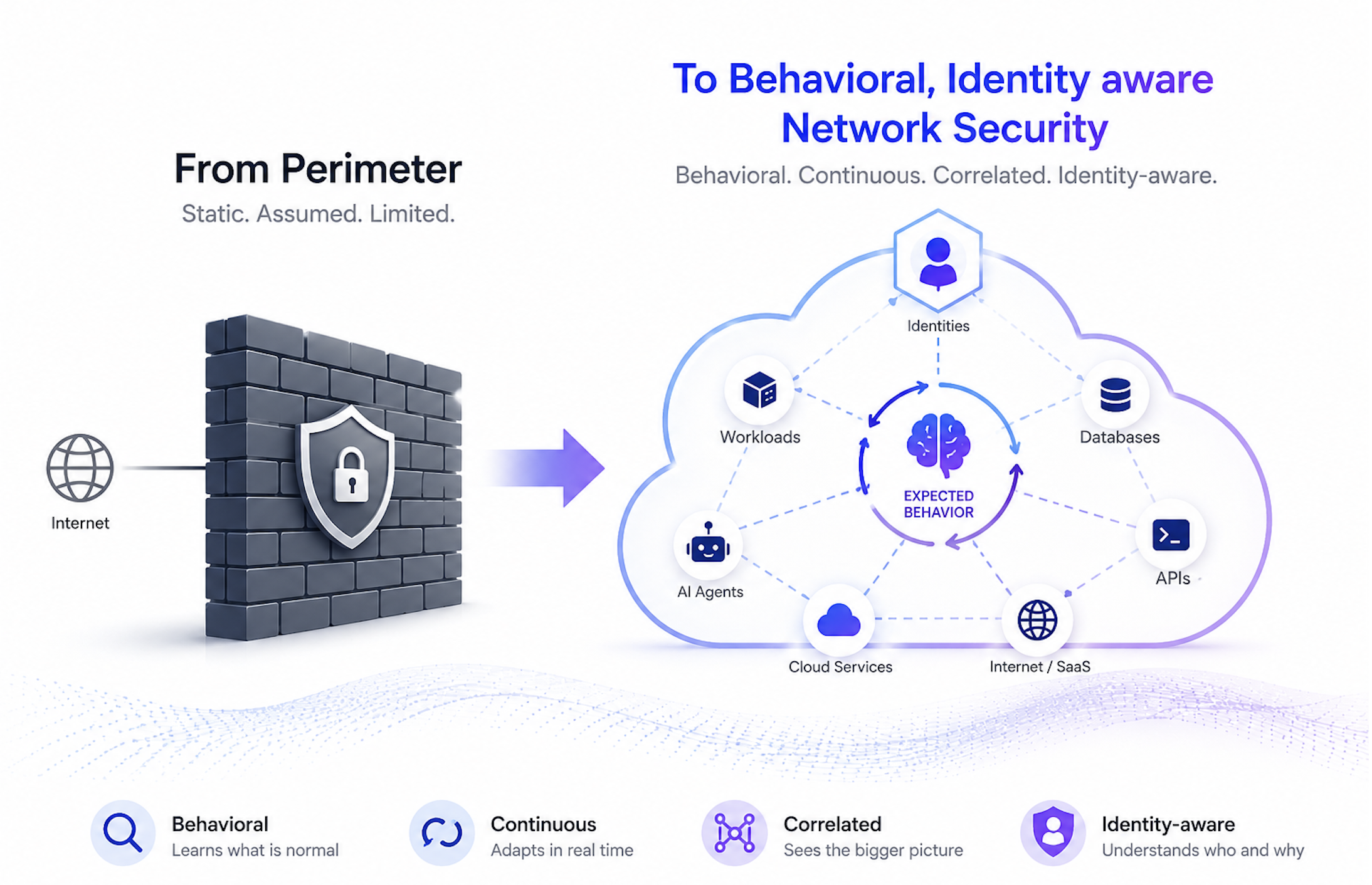
That is why C2 detection in AWS should not depend only on known bad IPs or static rules. VPC Flow Logs and DNS logs can provide the raw evidence, but the real value comes from understanding what is normal for each workload and identifying behavior that deviates from that baseline.
C2 traffic is not always obvious. In many cases, it looks like a cloud workload making routine outbound connections.
Common patterns include periodic outbound connections to the same external destination, also known as C2 beaconing.
A compromised instance may “check in” with its C2 server every few minutes to receive instructions. The traffic volume may be low, but the regularity of the connection can be suspicious.
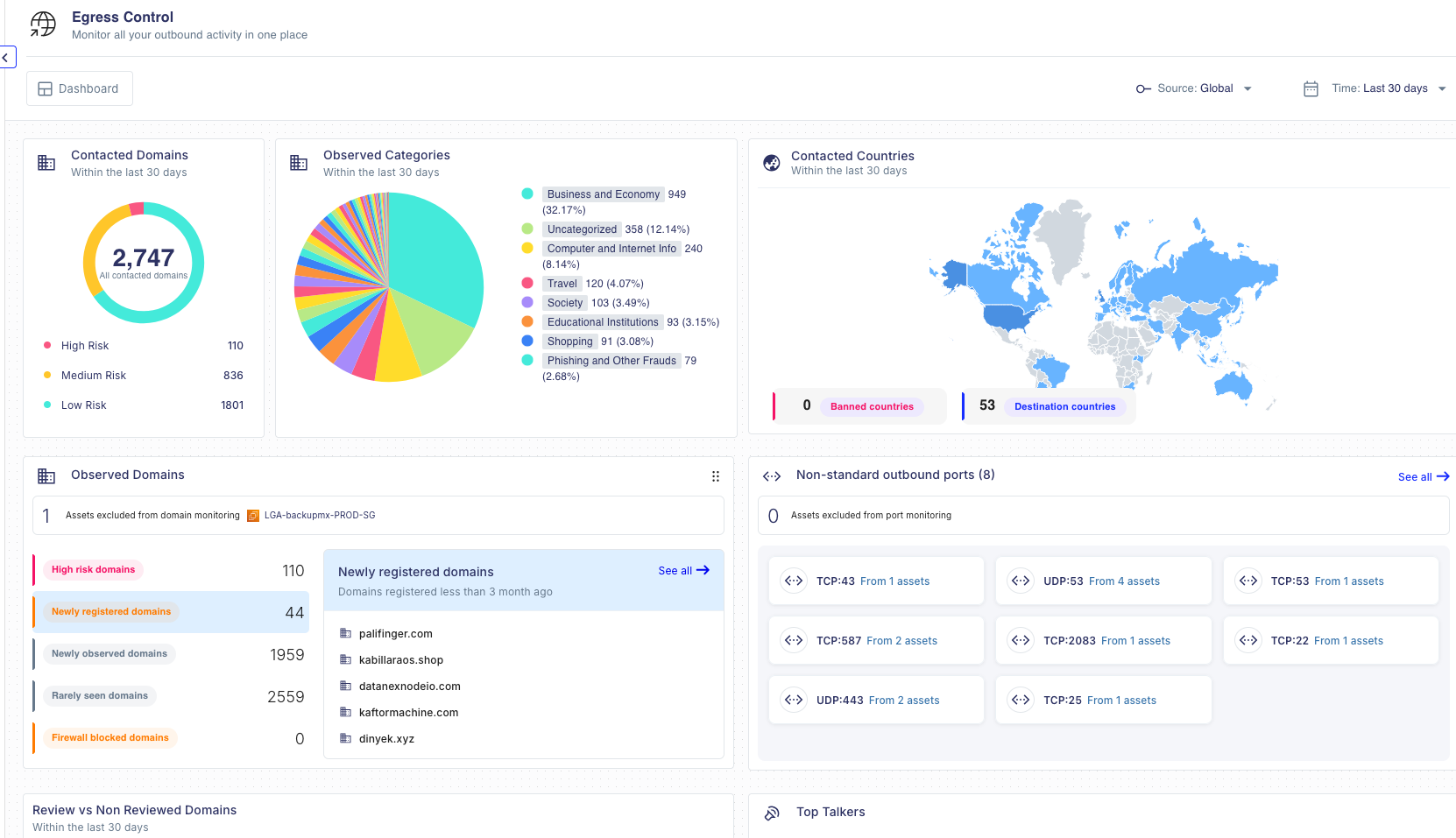
DNS behavior can also reveal suspicious activity. A workload may begin querying random-looking domains, newly registered domains, or domains it has never resolved before. In more advanced cases, attackers may abuse DNS itself as a communication channel.
No single log event is enough to confirm C2 traffic. Anomalies gain significance when they form a pattern, such as repeated connections, new destinations, or unusual DNS behavior that diverges from the workload’s baseline.
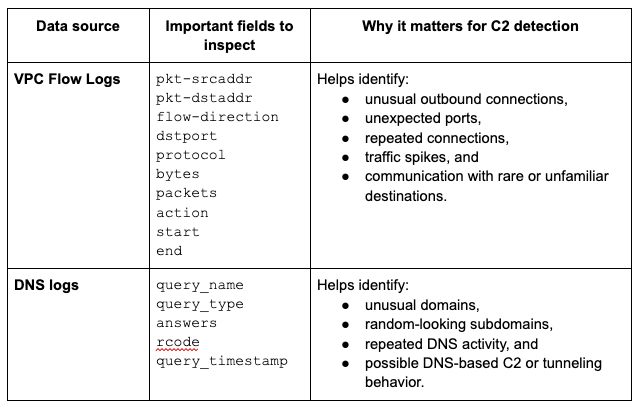
Two AWS telemetry sources are especially useful for detecting potential C2 traffic: VPC Flow Logs and DNS logs. Each log type answers a different question when it comes to detecting C2 traffic.
Used together, these logs provide a stronger detection picture, but surfacing C2 activity from raw data requires a deliberate sequence of steps.
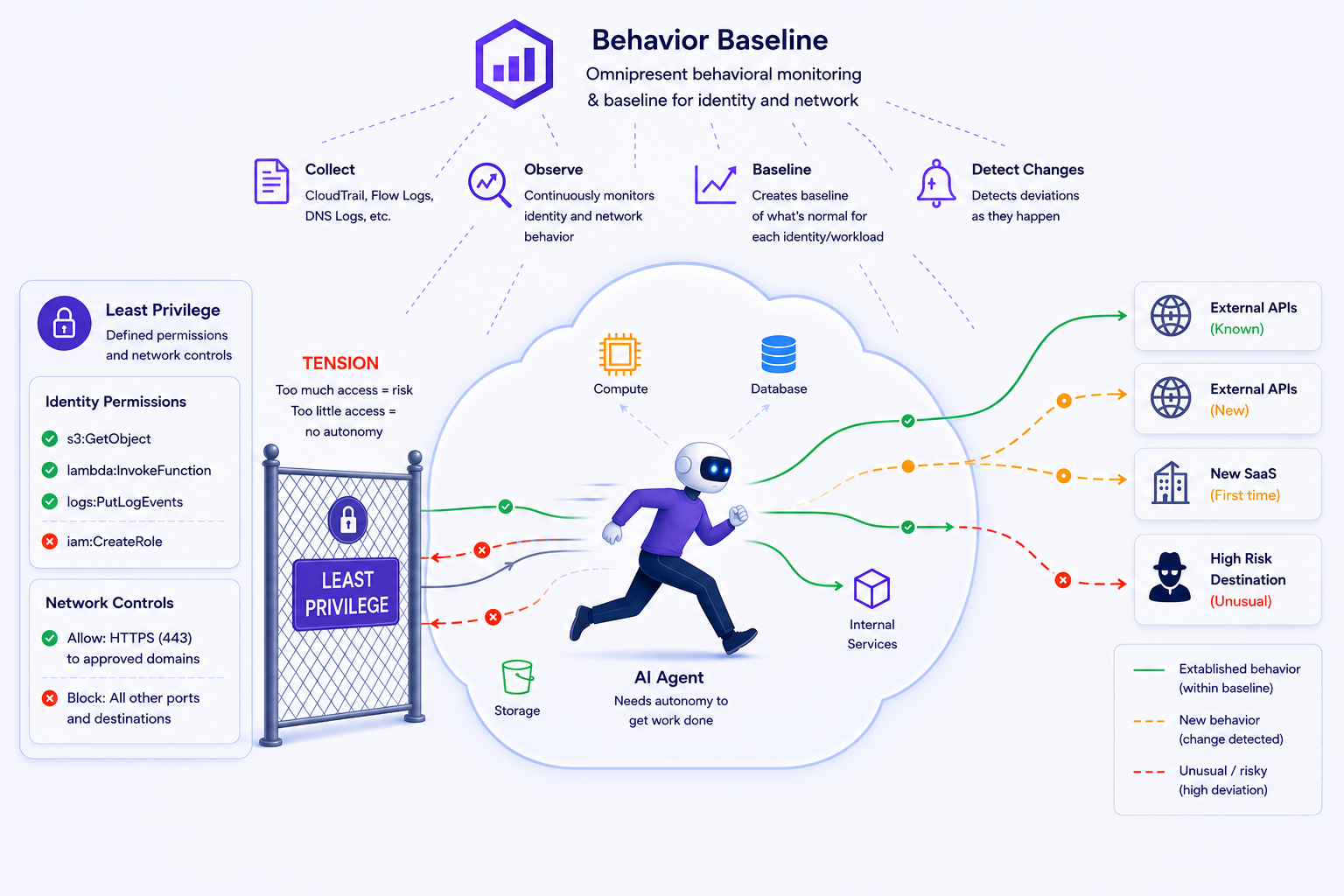
Before you can confidently detect suspicious C2 traffic, you need to understand normal workload behavior.
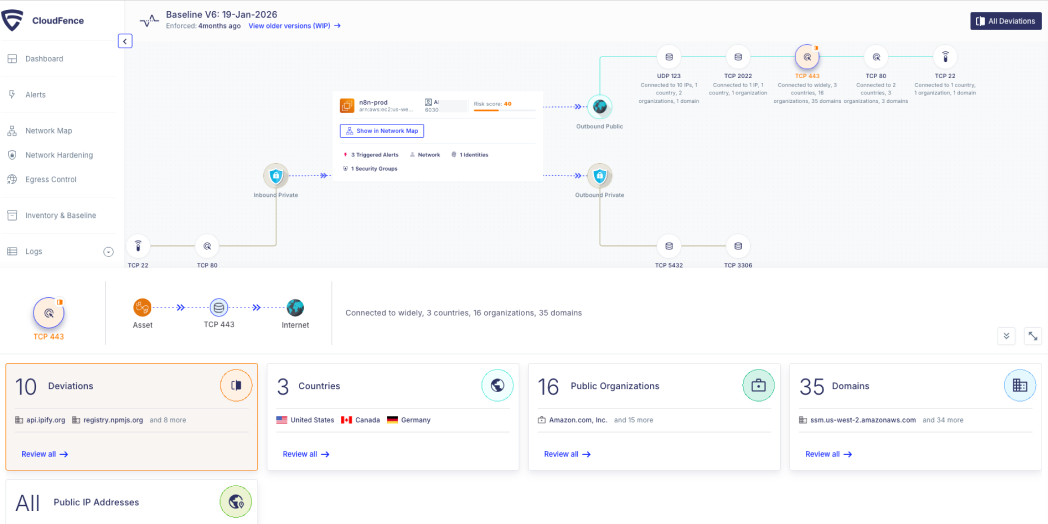
For each workload, establish a baseline of expected outbound communication:
This baseline should be workload-specific. An EC2-based build server, an internet-facing application behind an Application Load Balancer, an RDS database, or a containerized service running in ECS or EKS may all have very different communication patterns. Treating them all the same creates noise and weakens detection quality.
Without this context, every unusual outbound connection becomes a manual judgment call. With it, suspicious communication becomes easier to prioritize.
Once a baseline exists, the next step is to identify deviations in outbound traffic. The goal is not to flag every new connection, but to find activity that is unusual for the specific workload and meaningful enough to investigate. Here are some examples:
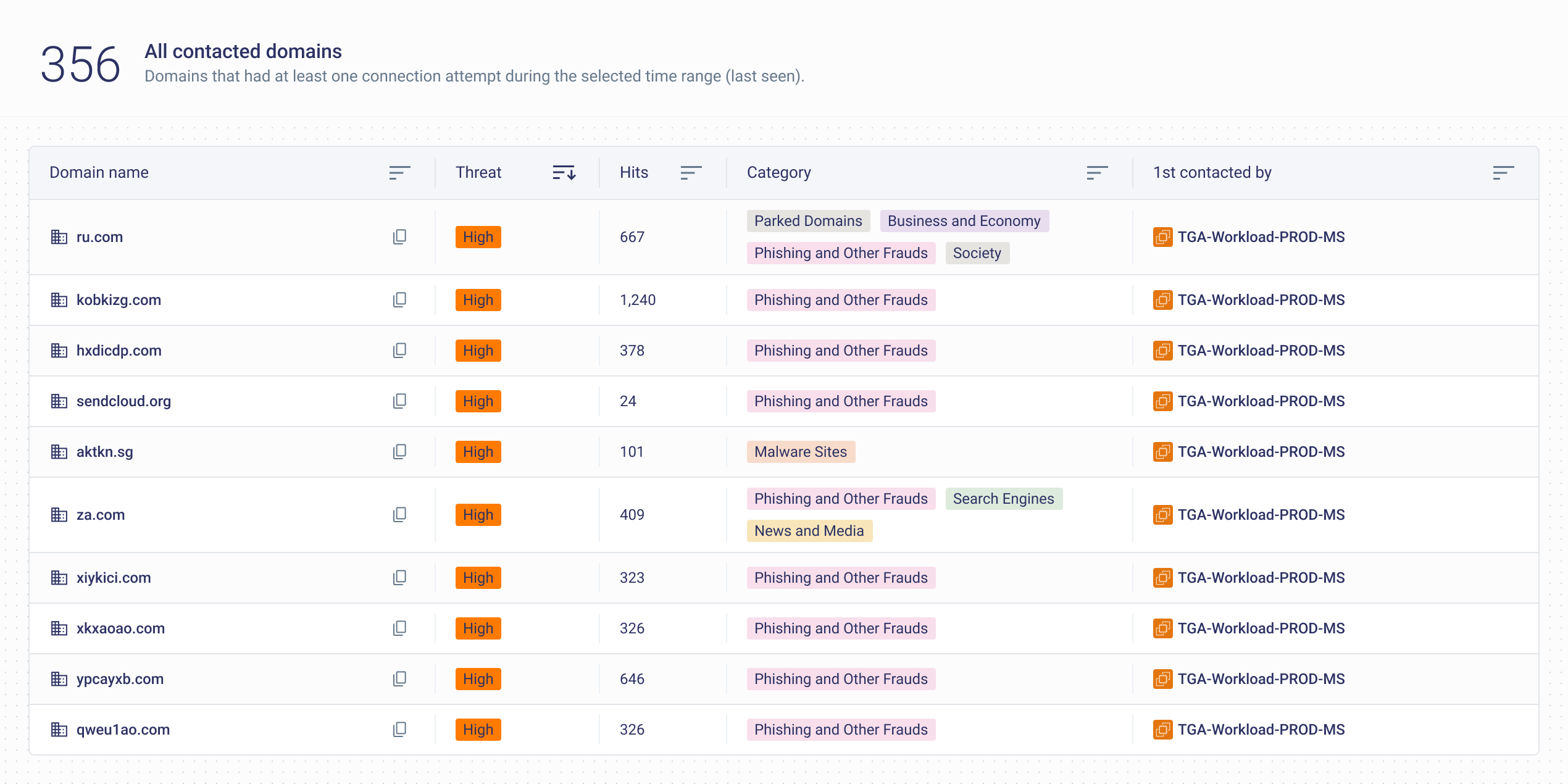
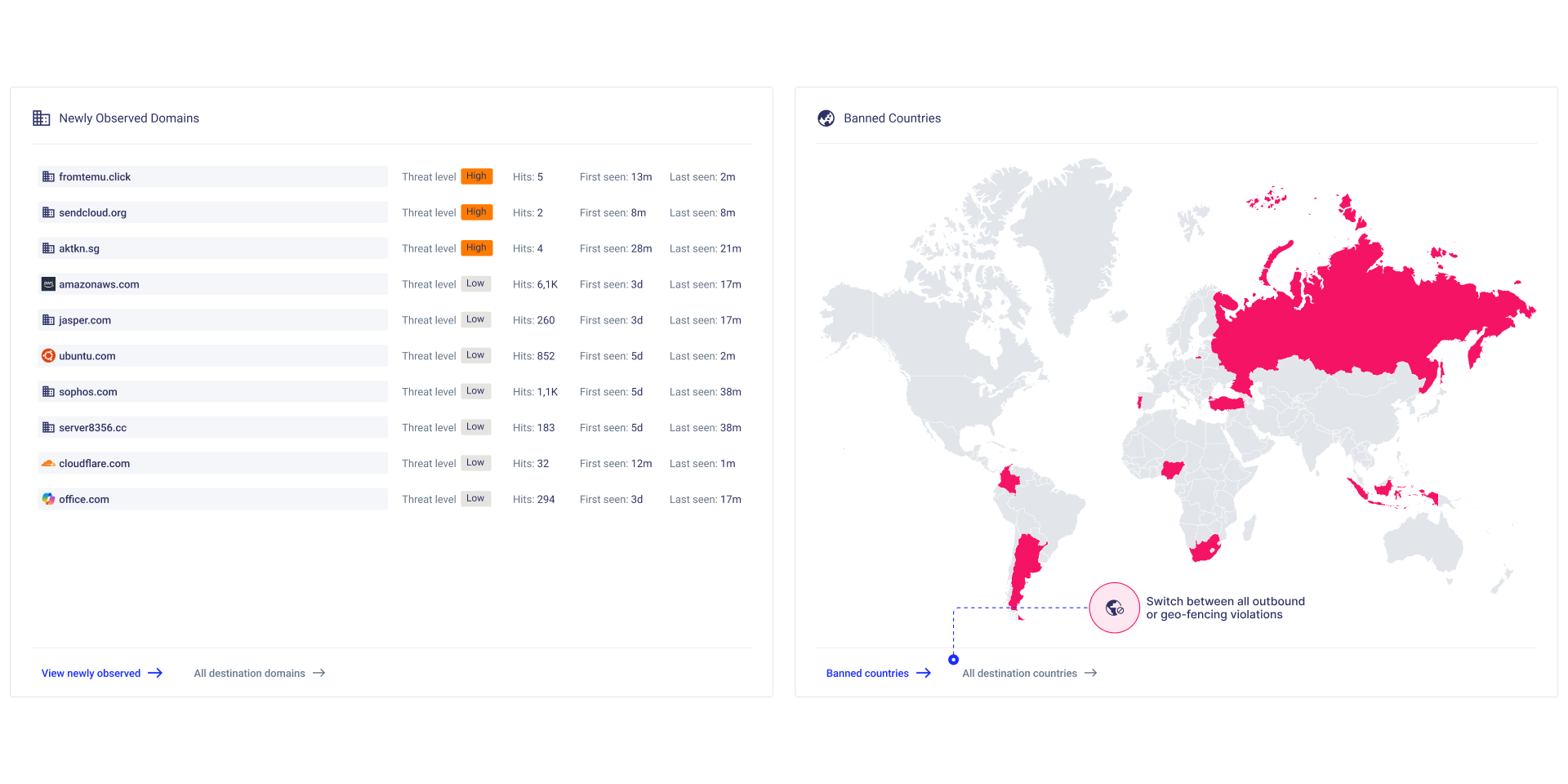
A workload suddenly connects to an external IP, domain or geography it has never contacted before. This does not automatically mean compromise, but it deserves attention, especially if the workload normally has a narrow communication profile.
C2 traffic often involves repeated outbound connections at regular intervals. For example, an EC2 instance may connect to the same destination every five minutes with similar packet sizes or byte counts. Even when each connection looks ordinary, the timing pattern can be suspicious.
A workload that normally communicates over HTTPS may suddenly begin making outbound connections over unusual ports. This may indicate misconfiguration, unauthorized software, or attacker-controlled communication.
Watch for sudden outbound spikes, sustained low-volume trickles, or unusual connection regularity. C2 traffic does not always involve large data transfers. Sometimes the giveaway is repeated communication, not large volumes.
DNS is often one of the most useful places to look when investigating possible C2 traffic.
That being said, DNS should not be treated as a standalone piece of evidence. It is a context layer. A strange DNS query becomes more important when followed by outbound traffic to the resolved IP, repeated communication, or other deviations from normal workload behavior.
Detections are more reliable if they come after correlation.
Consider this workflow: A DNS log shows that a production workload queried a domain it has never contacted before. The domain looks unusual, or it belongs to a category that is not expected for that workload. Shortly afterward, VPC Flow Logs show outbound HTTPS traffic from the workload to the resolved IP address. The same pattern repeats every few minutes.
Any one of those signals may be weak on its own. A new domain could be legitimate. An outbound HTTPS connection could be normal. Repeated traffic could be part of an application update or integration.
Combined, however, the story becomes more meaningful:
That is the point where an analyst can escalate the activity for investigation. The question is no longer simply “Is this IP known to be bad?” At that point, the question becomes “Why is this workload communicating this way now?”, thereby putting more weight on operational context and behavioral deviation.
Example correlation pattern:
Several common pitfalls can weaken C2 detection efforts:
VPC Flow Logs and DNS logs give security teams valuable evidence for detecting C2 traffic in AWS. They show which workloads are communicating, where they are connecting, and what domains they are trying to resolve.
But logs alone are not enough. The real detection layer involves behavioral context: knowing what each workload normally does, identifying deviations in outbound activity, and correlating weak signals into stronger findings.
That is how cloud teams advance from static indicators to earlier detection of suspicious outbound communications.
Discover how CloudFence's AI-driven engine establishes behavioral baselines, delivers real-time visibility, and detects threats before they escalate—helping your team shift from reactive firefighting to strategic cloud security management.
Discover how CloudFence's AI-driven engine establishes behavioral baselines, delivers real-time visibility, and detects threats before they escalate—helping your team shift from reactive firefighting to strategic cloud security management.

Looking to dive deeper? Check out these handpicked articles related to cloud visibility, threat detection, and workload protection.